


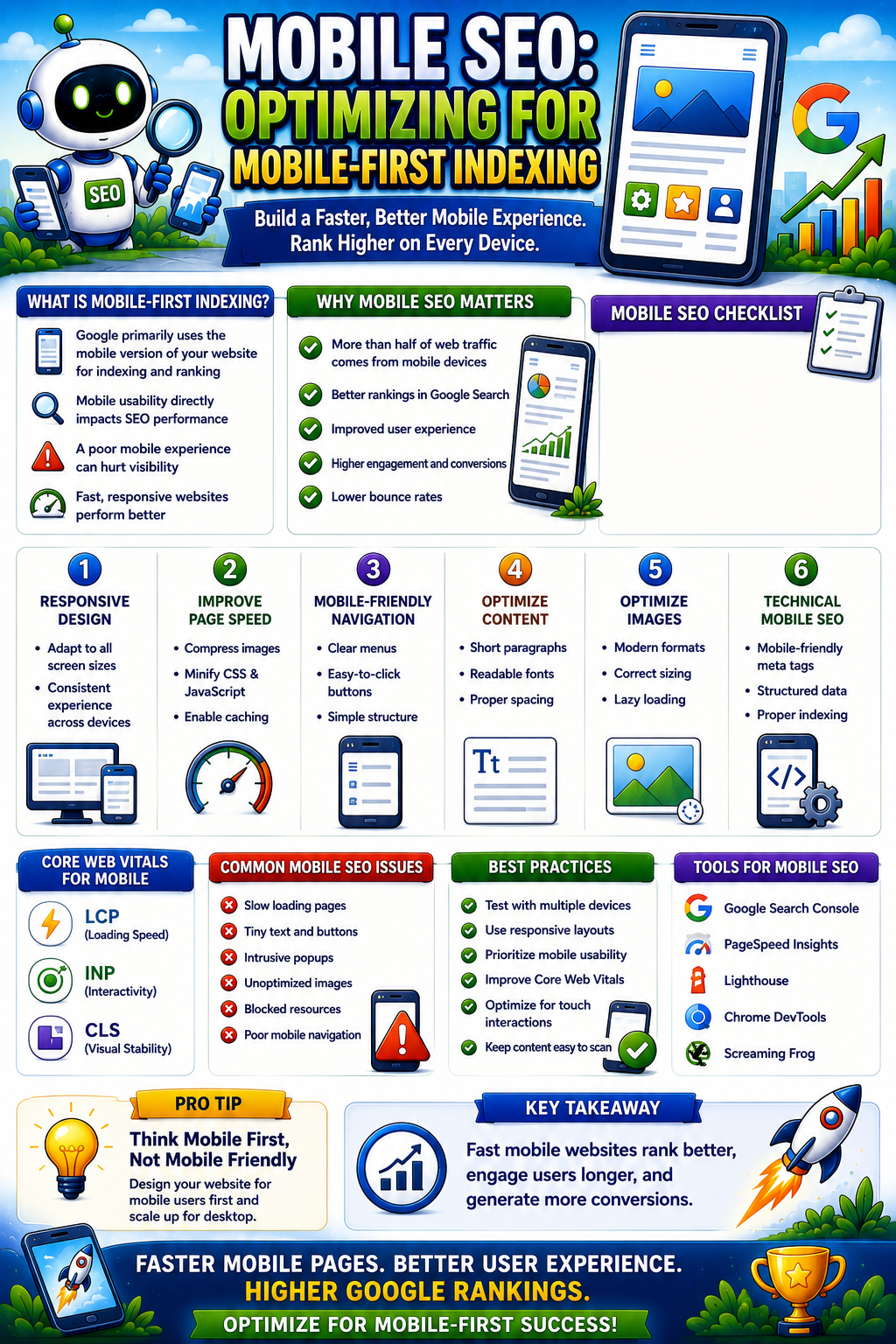
Imagine Google completely closing its eyes to the desktop version of your website. It no longer sees your beautiful widescreen layouts, intricate sidebars, or the expansive navigation menus you spent months refining on your laptop.
This is not a hypothetical scenario-it is the exact reality established by the Google mobile-first update.Редагувати переклад мовою RU
Today, the search engine evaluates, indexes, and ranks your business exclusively based on how it renders and performs on a standard smartphone screen. If your mobile user experience is sluggish, difficult to navigate, or hides critical text, your overall organic traffic in the United States will plummet-even if your desktop experience is completely flawless.
This actionable blueprint, designed by the team at SeoProsecco, serves as a hands-on toolkit. We have stripped away the generic fluff to provide a concrete checklist to help you audit your asset, uncover hidden bottleneck errors, and align your business with modern mobile search demands.
Express Diagnosis: Is Your Site Ready for Mobile-First Indexing?
Before diving into complex code modifications, you must baseline your current performance. We utilize three core free tools provided directly by search engine developers to establish this benchmark.
| Tool | Core Evaluation Focus | Where to Find the Actionable Report |
| Google Search Console | Detects live technical rendering and layout bugs across your indexed pages. | The “Mobile Usability Report” tab. |
| PageSpeed Insights | Measures above-the-fold loading velocity and visual stability on smartphones. | The Core Web Vitals mobile performance assessment block. |
| Lighthouse Audit | Evaluates structural accessibility, clean code compilation, and technical UX standards. | The Developer Tools panel (F12) directly inside your Chrome browser. |
⚠️ Critical Red Flag: If your Search Console account begins triggering automated warnings like “Text too small to read” or “Clickable elements too close together,” it is a direct signal that the algorithm is artificially suppressing your visibility in US search results.
The 4 Pillars of Mobile SEO: An Engineering Checklist
To ensure your website does not just pass automated tests but actively sustains a dominant mobile search ranking, your code architecture and content deployment must satisfy four unyielding rules.
1. Execute a Flawless Responsive Web Design
Legacy mobile configurations hosted on separate m-dot subdomains (e.g., m.yoursite.com) are obsolete. Google strongly mandates a single, unified URL for every piece of content utilizing fluid layout grids.
- Verify the implementation of a proper meta name=”viewport” tag within your site header code to ensure layout blocks automatically scale to any smartphone width.
- Eliminate horizontal scrolling. All content assets must strictly cascade vertically within the viewport boundaries.
[ Smartphone User ] ➡️ iPhone / Android Device
|
[ Single Unified URL ] ➡️ Fluid Layout Scaling (CSS Flexbox/Grid)
|
[ Rendered Screen ] ➡️ Zero Content Duplication or 302 Redirect Bugs
2. Enforce 100% Content Parity
A common mistake among business owners is trying to “streamline” their mobile site by stripping away text blocks, removing extensive data tables, or hiding Schema markup on smaller viewports.
- Textual Copy Alignment: The mobile crawler is the primary indexer. If you delete a paragraph from the mobile viewport to make the screen look cleaner, Google acts as if that content does not exist on your site at all.
- Metadata Consistency: Your heading tag hierarchies (H1–H3), Title tags, and Meta Descriptions must remain absolutely identical across both desktop and mobile viewports.
- Structured Data Deployment: Ensure that advanced Schema micro-data (such as product pricing or review markup) fully executes within the mobile source code.
3. Engineer High-Velocity Mobile Page Speed
US consumers possess zero patience for high-latency connections. If a mobile site takes longer than 3 seconds to render, 53% of mobile visits are permanently abandoned.
- Next-Gen Asset Compression: Convert all static graphics into modern, high-efficiency image formats like WebP or AVIF, and apply automated compression scripts.
- Code Minimization: Strip out empty spaces, unused line breaks, and redundant JavaScript or CSS libraries that block primary page rendering.
- Server-Side Caching Optimization: Implement aggressive server-level caching layers so repeat visits render near-instantaneously on mobile devices.
4. Architect a Frictionless Mobile UX
Mobile user interfaces are graded by the physical limitations of human hands. Your entire interface must be easily navigable using a single thumb.
+———————————-+
| [ MOBILE SCREEN ] |
| |
| [X] Zero Intrusive Pop-Ups |
| |
| [16px Font] Highly Readable |
| |
| [ Action Button – Min 48px ] | ⬅️ Easily Tappable with One Thumb
| |
+———————————-+
- Enforce a minimum body copy font size of 16px to maintain clear readability without forcing users to pinch-to-zoom.
- Every CTA button, text link, and navigation element must maintain a minimum physical target size of 48×48 pixels with explicit padding margins.
- Eradicate aggressive interstitial pop-ups that block the primary screen content immediately after a user arrives from a search engine result page.
3 Critical Mobile SEO Errors Liquidating Your Traffic
If you have observed a sudden downturn in organic positions following recent core search engine updates, audit your technical architecture for these three hidden pitfalls:
- Restricting JavaScript and CSS Assets via Robots.txt: If your core directory configurations block crawler access to styling asset folders, Google cannot render your page layout accurately. It views the page as broken and downgrades your domain.
- Unresponsive Media Layouts and Rigid Tables: If your embedded video frames or pricing matrices fail to adjust gracefully to small screen dimensions, it triggers severe layout shifting and breaks mobile usability.
- Neglecting Local Mobile Search Intent: The vast majority of mobile search queries carry strong geographical qualifiers. Ensure your mobile asset features optimized Local Business Schema data and matches your Google Business Profile configuration to win regional market share.
Mobile Optimization Is Your Core Foundation
The era where a mobile-friendly layout was considered an optional asset is officially over. Developing a comprehensive mobile optimization strategy is the only way to safeguard your organic search visibility, maximize conversion rates, and outperform competitors in the highly saturated US marketplace. For a deeper examination of how automated crawlers parse structural data assets, you can review the technical guidelines directly on Google Search Central.
Uncovering hidden rendering bugs, tuning Core Web Vitals parameters, and auditing your site for total content parity requires professional tools and meticulous execution. Do not risk your existing search revenue on guesswork.
Want to guarantee your business complies with every mobile-first indexing requirement? The technical team at SeoProsecco will execute an exhaustive, complimentary mobile SEO audit for your domain. We will expose every rendering flaw, accelerate your mobile load speeds, and ensure your site remains dominant in US search. Contact us today to secure your custom optimization report.